This test evaluates the audio-visual quality of Hero Health video calls and measures the load on the Azure server during multiple concurrent sessions.
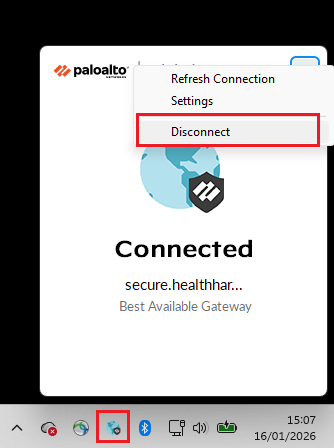
IMPORTANT: You must disconnect the GlobalProtect VPN on your local device (laptop) first:
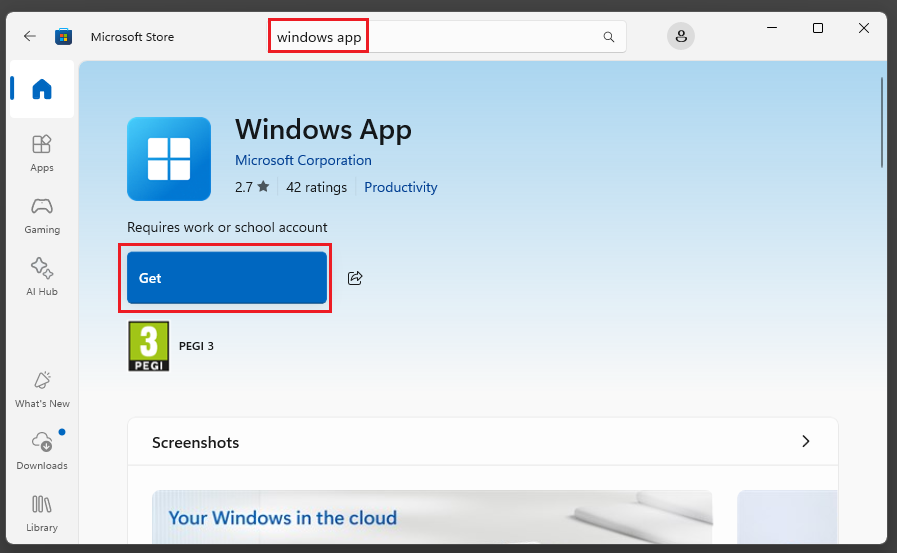
To get started, search for the Windows App from the Microsoft Store or the App Store (for MacBook users) and click on Get to download:
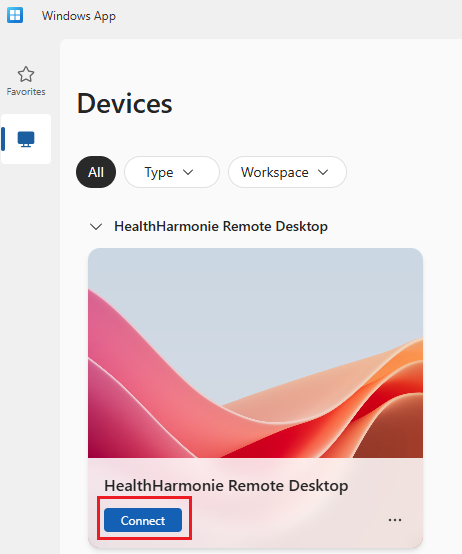
Open up the Windows App and connect to the HealthHarmonie Remote Desktop using your HealthHarmonie credentials:
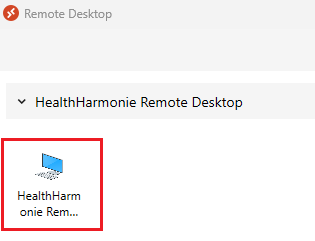
If the Windows App is not connecting please use the Remote Desktop tool (if you haven't installed it, download from here -https://go.microsoft.com/fwlink/?linkid=2139369 - once downloaded, run to install, then open Remote Desktop and double click on the HealthHarmonie Remote Desktop icon):
Once you have logged into the AVD, open Hero Health either in the Edge or Chrome browser: https://herohealth.net/admin/dashboard
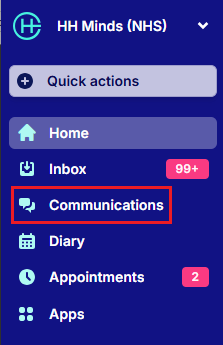
In Hero Health select Communications from the left menu:
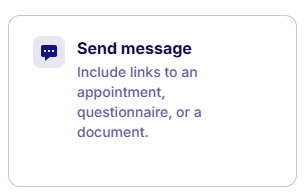
Select Send Message:
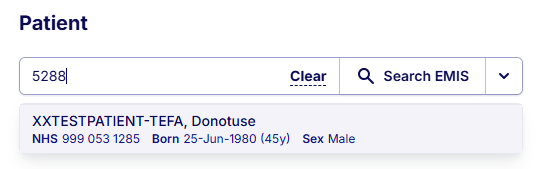
Search for the EMIS Patient (use patient - EMIS No: 5288) and select them:
In the Create Message window, enter the email address of the person you are testing with (they will be the test patient), select the Video Link Icon to insert a Video Link in the message
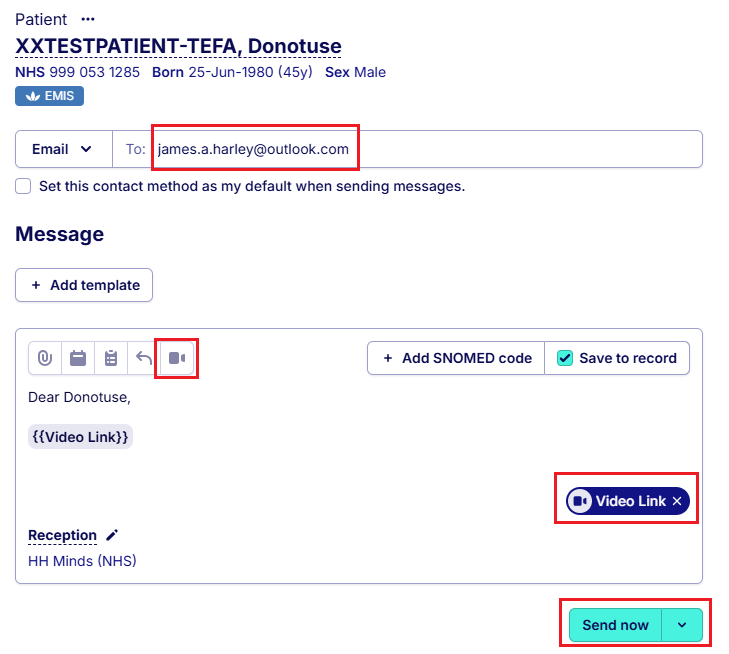
and then click on Send now. The test patient will receive an email with the video link.
IMPORTANT - the test patient must be using a device that is not connected to GlobalProtect (as in real live).
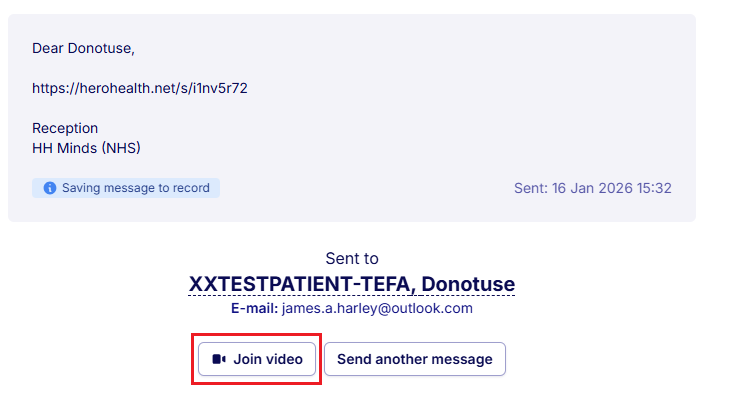
After clicking on Send now, on the next window click on the Join video button:
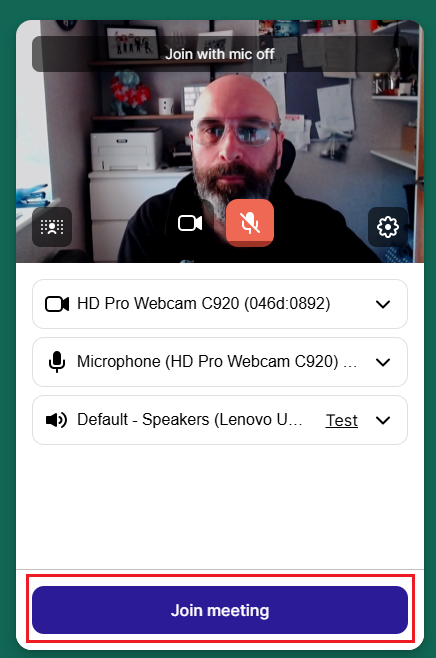
Make sure your camera and microphones have been picked up. Then click on Join meeting:
The video call will start.
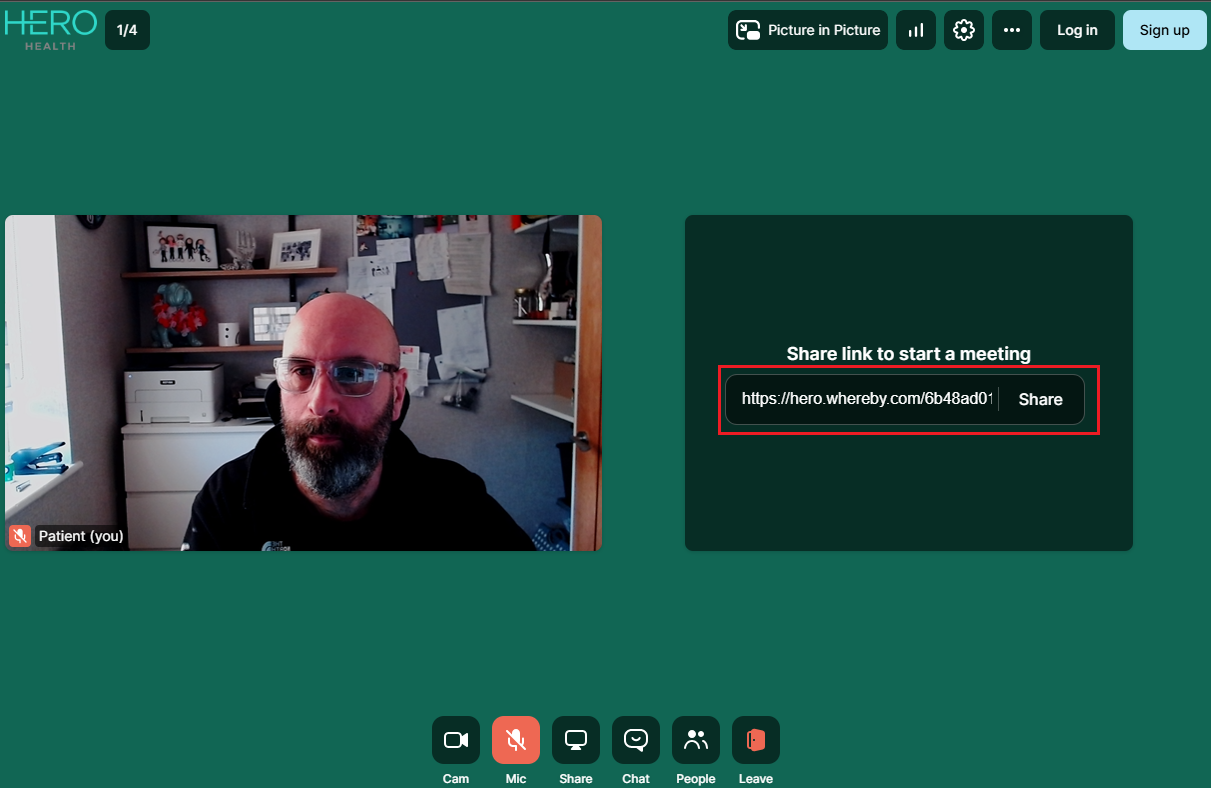
If required, you can send the Share link to the test patient (if they are struggling to join).
Check the quality of the video and voice - monitor buffering etc.
Was this article helpful?
That’s Great!
Thank you for your feedback
Sorry! We couldn't be helpful
Thank you for your feedback
Feedback sent
We appreciate your effort and will try to fix the article