Click on Care Record > Consultations:
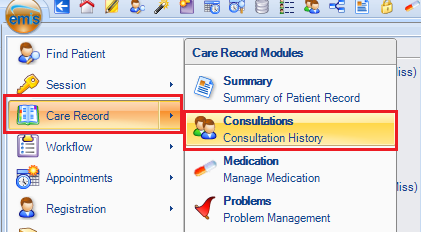
Find the patient:

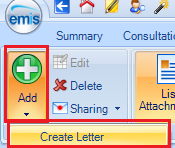
Select Add > Create Letter:
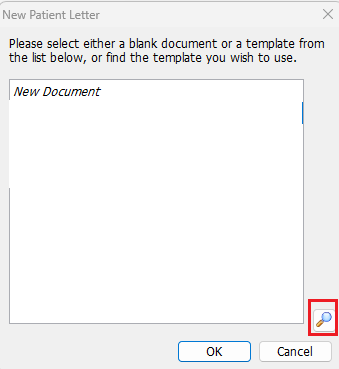
Click on the Find icon:
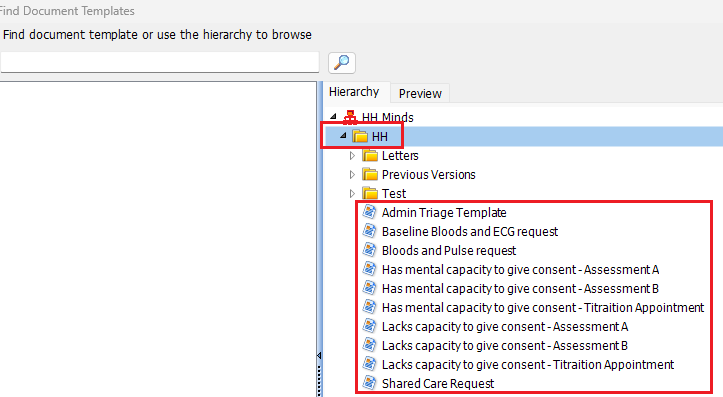
Select the HH folder and double click on the appropriate letter template:
Alternatively;
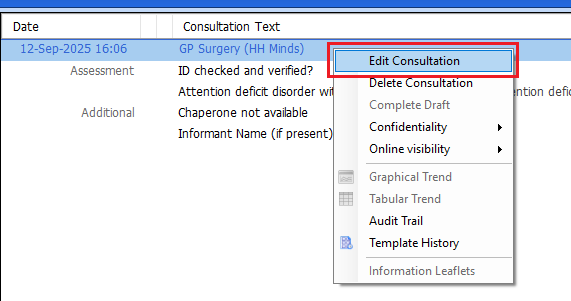
Navigate to the appropriate Consultation, right click and select Edit Consultation:
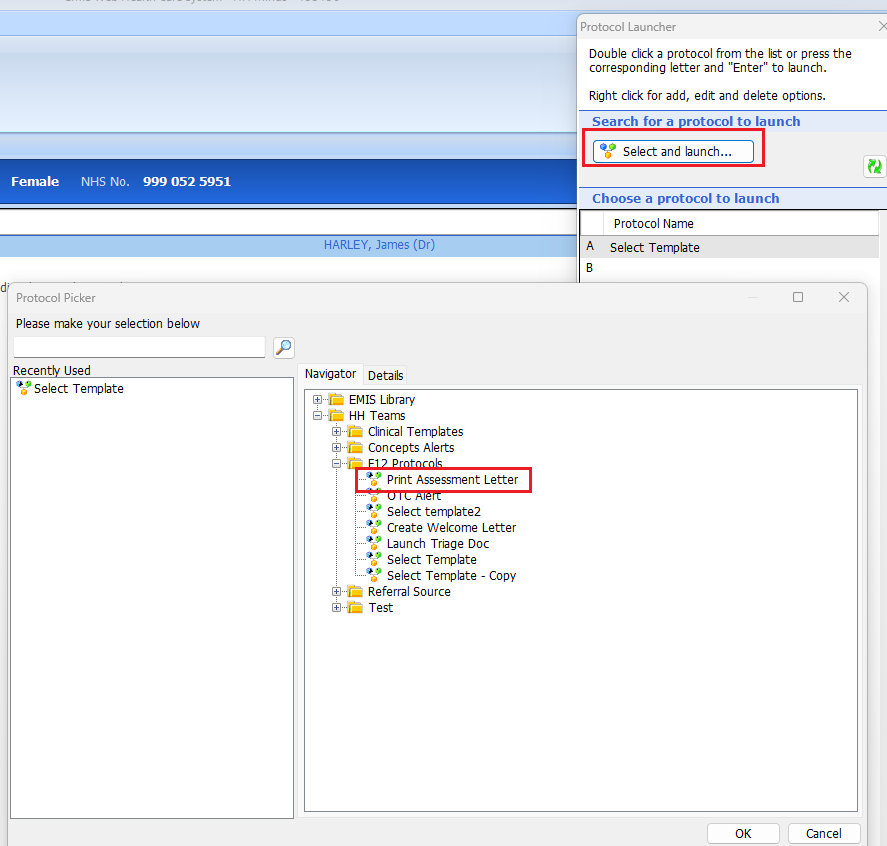
Press F12 on your Keyboard to open the Protocol Launcher (you may need to hold down another key on your keyboard to execute the F12 button) - select the Select and launch.... button and navigate to HH Teams > F12 Protocols. Open the Print Assessment Letter:
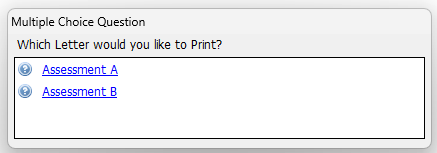
Select which Letter you would like to Print:
Complete the letter (i.e. cut and paste from Heidi and or amend letter contents). Select File > Save and Close. Then select Save to save the Consultation.
Navigate to Documents if you wish to review the Document.
Was this article helpful?
That’s Great!
Thank you for your feedback
Sorry! We couldn't be helpful
Thank you for your feedback
Feedback sent
We appreciate your effort and will try to fix the article