In EMIS open up the Appointment Book either from the Quick Access Toolbar:

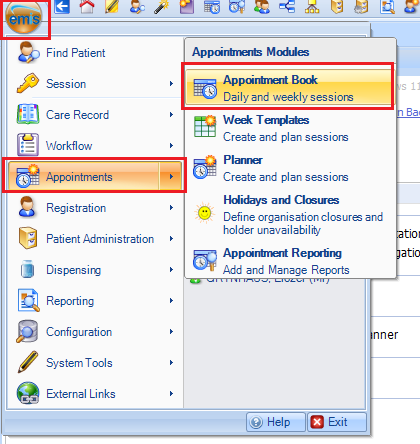
or via the menu:
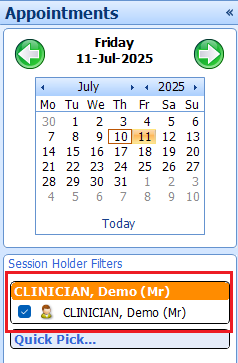
 In the Appointment Book you will see you name under Session Holder Filters:
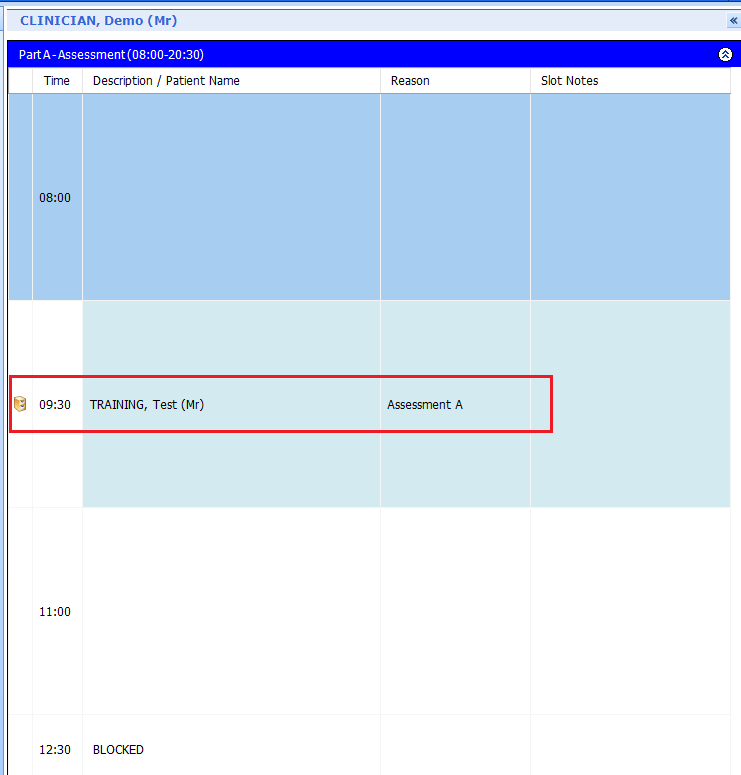
and in the right window, the Appointment Book for the day and any patients booked into a slot:
Was this article helpful?
That’s Great!
Thank you for your feedback
Sorry! We couldn't be helpful
Thank you for your feedback
Feedback sent
We appreciate your effort and will try to fix the article