Connect to the VPN
Before opening EMIS Web you must be connected to the VPN. Click on the Chevron on the Task Bar to show hidden Icon - then click on the GlobalProtect Icon:

Click on Connect:
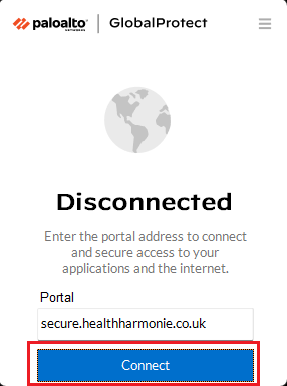
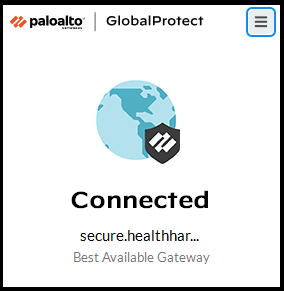
When connected, the GlobalConnect Icon turns blue
Logging onto EMIS Web
Click on the EMIS Icon located on your Desktop:

Enter your Username and Password - the Organisation ID must be 153156:
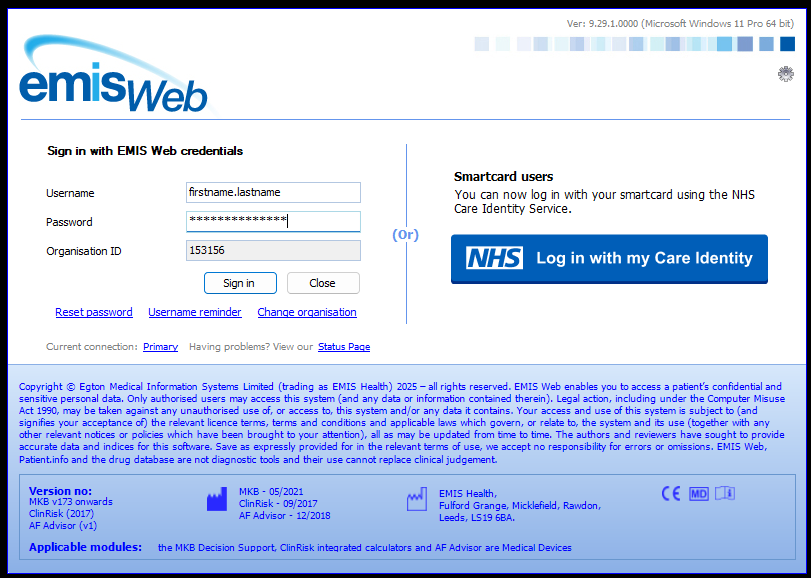
When clinicians have had their NHS Smartcards set up with a HealthHarmonie Role, they will login to EMIS using the Log in with my Care Identity button. See here on how to Associate your Smartcard for the first time.
Was this article helpful?
That’s Great!
Thank you for your feedback
Sorry! We couldn't be helpful
Thank you for your feedback
Feedback sent
We appreciate your effort and will try to fix the article