1. Find the patient in EMIS who you need to re-run a Clinical Template for.
2. On your Keyboard, press F12 to open the Protocol Launcher. Note that on some keyboards, you may need top press another key to press F12 (depends on the manufacturer). On the Protocol Launcher, click on the Select and launch...button: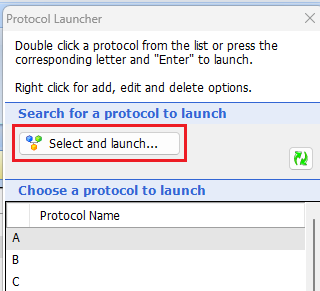
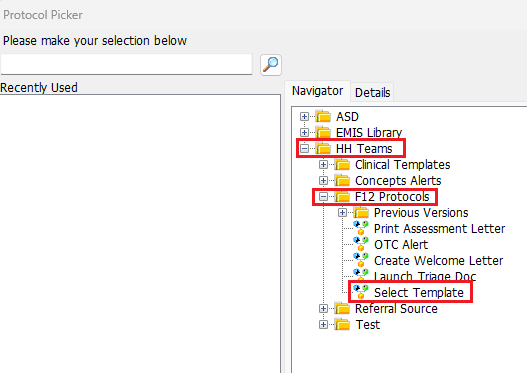
3. Expand the folders HH Teams and F12 Protocols. Double click on Select Template:
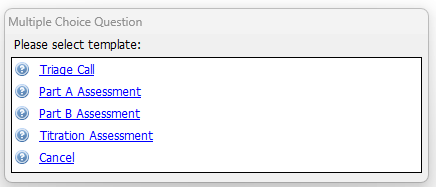
4. Select the template you wish to run for the patient:
If you also need to create a new Assessment Document see - Reprint Letter (Assessment A or B) : Medinet Operations
Was this article helpful?
That’s Great!
Thank you for your feedback
Sorry! We couldn't be helpful
Thank you for your feedback
Feedback sent
We appreciate your effort and will try to fix the article