Purpose
To correctly start and outcome an ADHD titration session, record required checks, set follow-up dates accurately, and move the patient to the next pathway stage.
1) Start the Titration Session
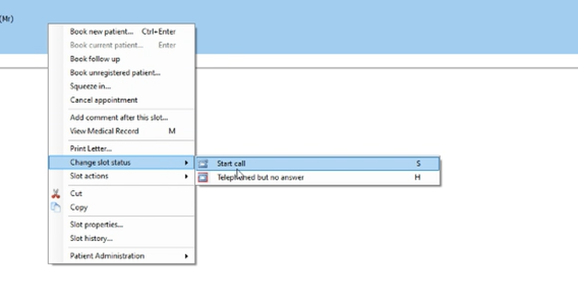
- Click patient’s appointment on EMIS.
- Select Start Titration Session – Select ‘Start Call’
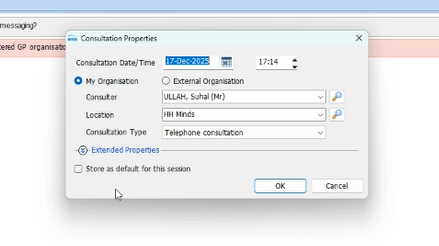
2. Select OK once call has started:
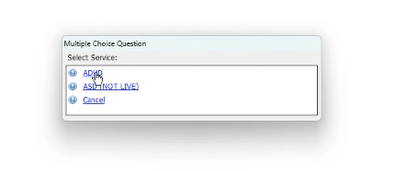
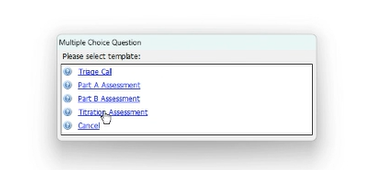
3. Select ADHD Service and Titration Template:
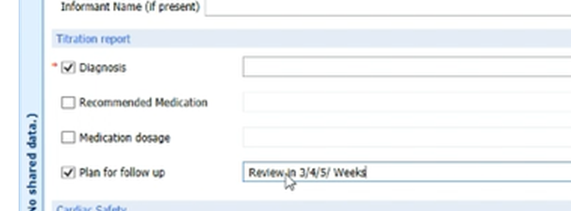
4. Complete and confirm the following:
☐ Informant present (if applicable)
☐ Diagnosis confirmed
☐ Plan to follow up recorded
? Important (Dates)
Use the rules below to ensure the review and due dates are correct assuming the patient starts medication today.
Rule A — Review date (Free text)
What to write: State the number of weeks until review based on the medication supply.
Example wording:
“Review required in 4 weeks (meds supplied today).”
Continue to complete:
☐ Blood Pressure / Pulse Readings
☐ Consent
☐ Capacity
4. Save the Session
Once all required fields are complete, select Save File.
? Expected result
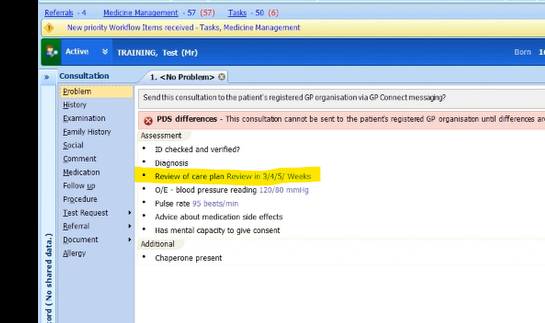
Consultation notes should display: “Review of care plan” and the recorded follow-up dates.
5) Confirm Capacity and let the Template Load
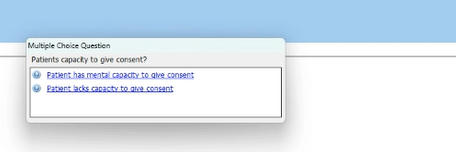
Confirm: Patient has capacity (Yes/No as appropriate).
Wait for the Titration template to load fully.
Confirm and enter: Minutes taken for assessment:
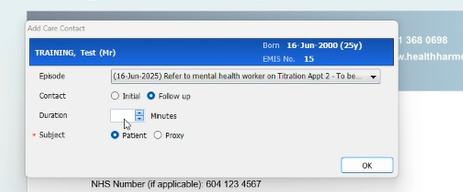
6) Update Due Date (Follow-up Scheduling)
Select Change Due Date
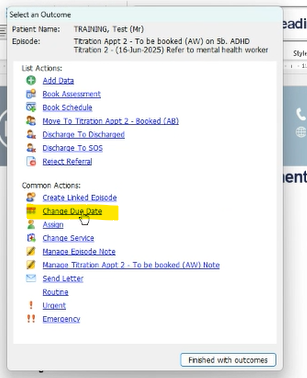
Enter the follow-up date based on prescription length.
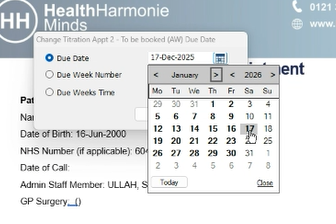
? Reminder
This follow-up date should align with when the prescription period ends / review is required.
Rule B — Due date (Medication run-out date)
What to set:
Select the actual calendar date the medication will run out, assuming started today.
Example:
“Due date set to [DD/MM/YYYY] (medication end date).”
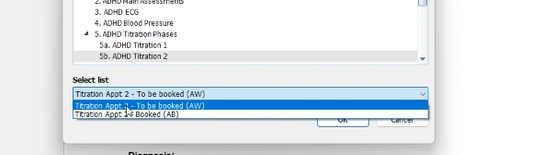
7) Change Service and Move Patient Along the Pathway
- Select Change Service.
- Ensure the patient is moved into the next pathway stage.
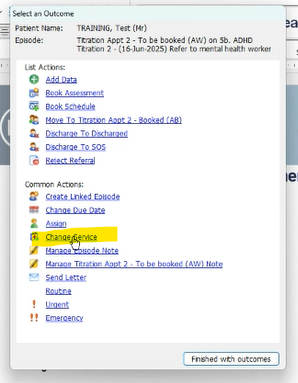
Pathway rule (critical)
When moving the patient to the next appointment stage, ensure they go to the correct next area:
- If this is Titration 1 → move to Titration 2 — to be booked
- If this is Titration 2 → move to Titration 3 — to be booked
- If this is Titration 3 and you feel patient requires further Titration → move to Titration 3 — to be booked
- (Continue the same logic for subsequent stages if applicable)
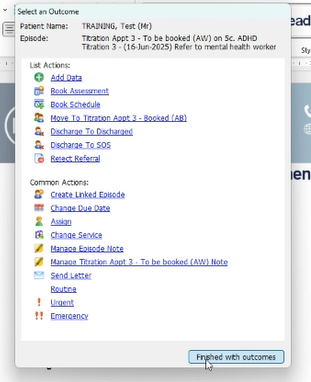
8) Finish With Outcomes
✅ Action
- Complete the Outcomes section (as per usual process).
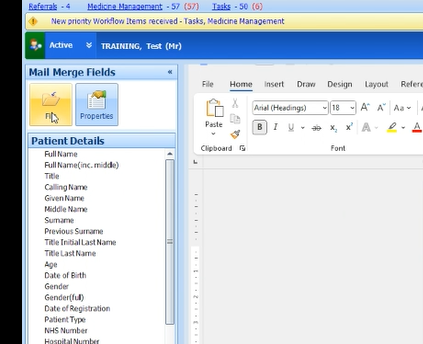
9) Add Heidi Notes
Paste Heidi notes into the appropriate section of the template.
Ensure they are clearly labelled and readable.
Once complete – File and Save report
Quick Quality Check:
Before exiting, confirm:
☐ Service = ADHD
☐ Template = Titration
☐ Review date written as # of weeks
☐ Due date matches medication run-out date
☐ BP/Pulse, Consent, Capacity completed
☐ Patient moved to correct next titration stage
☐ Outcomes completed
☐ Heidi notes added
Video link - https://vimeo.com/1147398610/005763f656
Was this article helpful?
That’s Great!
Thank you for your feedback
Sorry! We couldn't be helpful
Thank you for your feedback
Feedback sent
We appreciate your effort and will try to fix the article