In a web browser navigate to https://herohealth.net/admin/dashboard
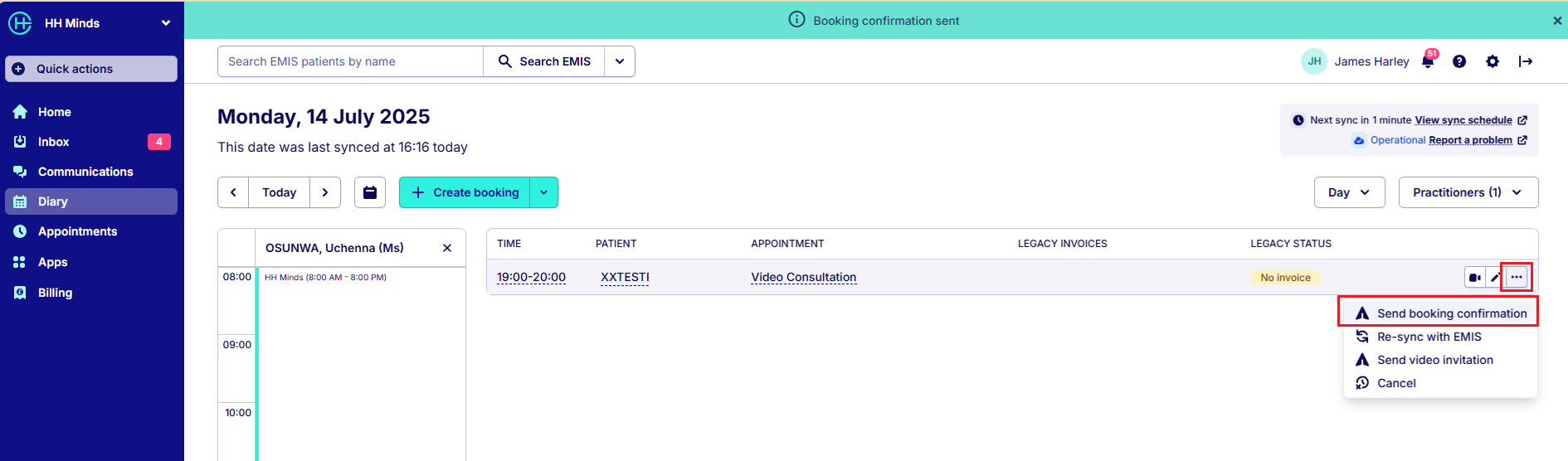
Click on Diary on the menu. All you diary appointments for the day should be shown (synchronised with EMIS Appointment Book). To send a booking confirmation to your patient, click on the three dots on the patient appointment and select Send Booking Confirmation:
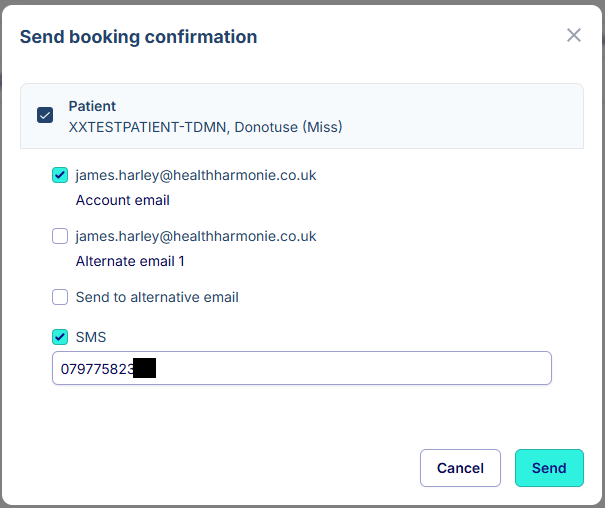
You have the option to send the confirmation to their email, mobile number or both:
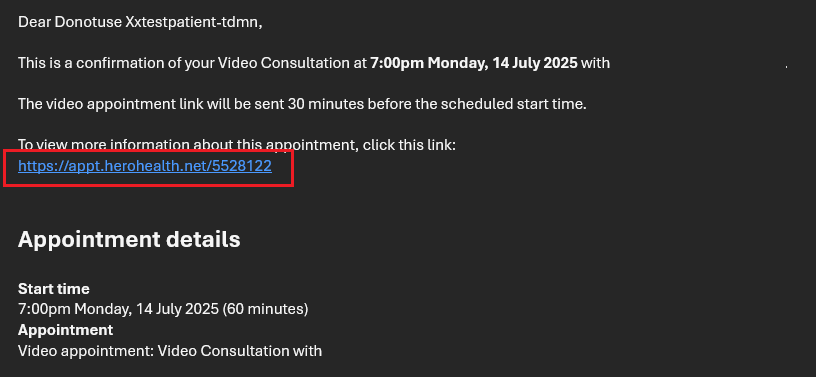
The patient will receive and email like this with a link about the appointment:
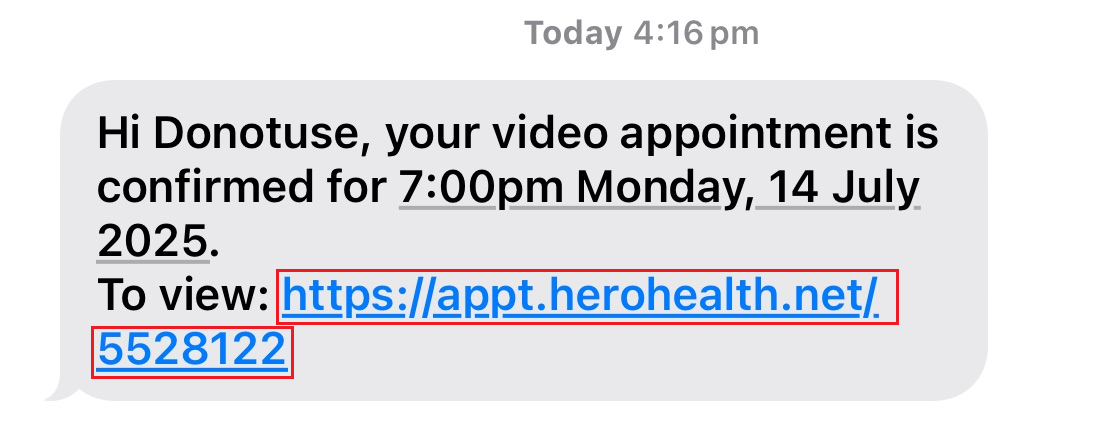
and/or and SMS like this:
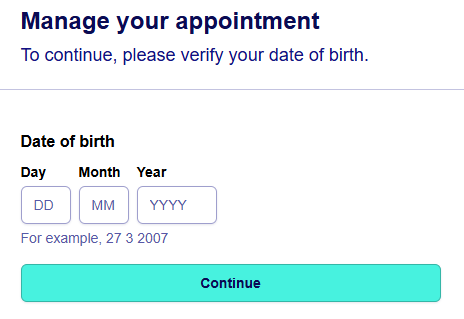
When the patient clicks on the link they will be prompted for their Date of Birth:
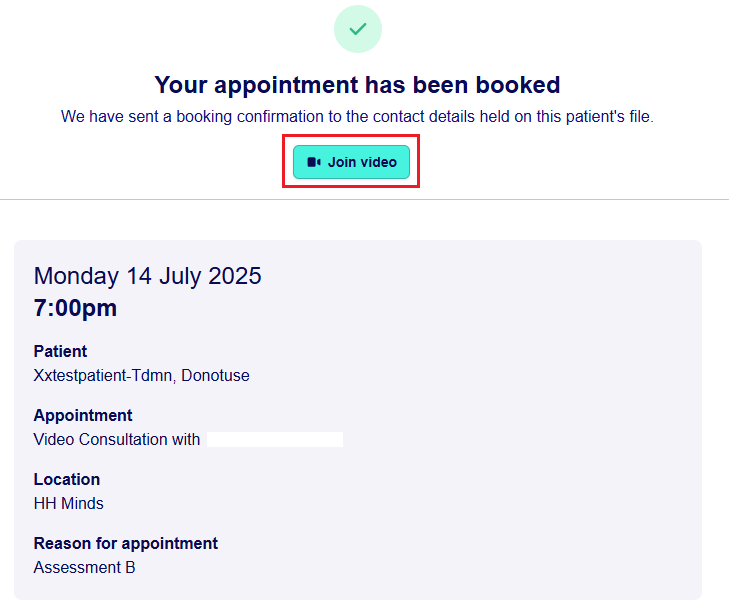
and then details of the appointment along with a Join Video:
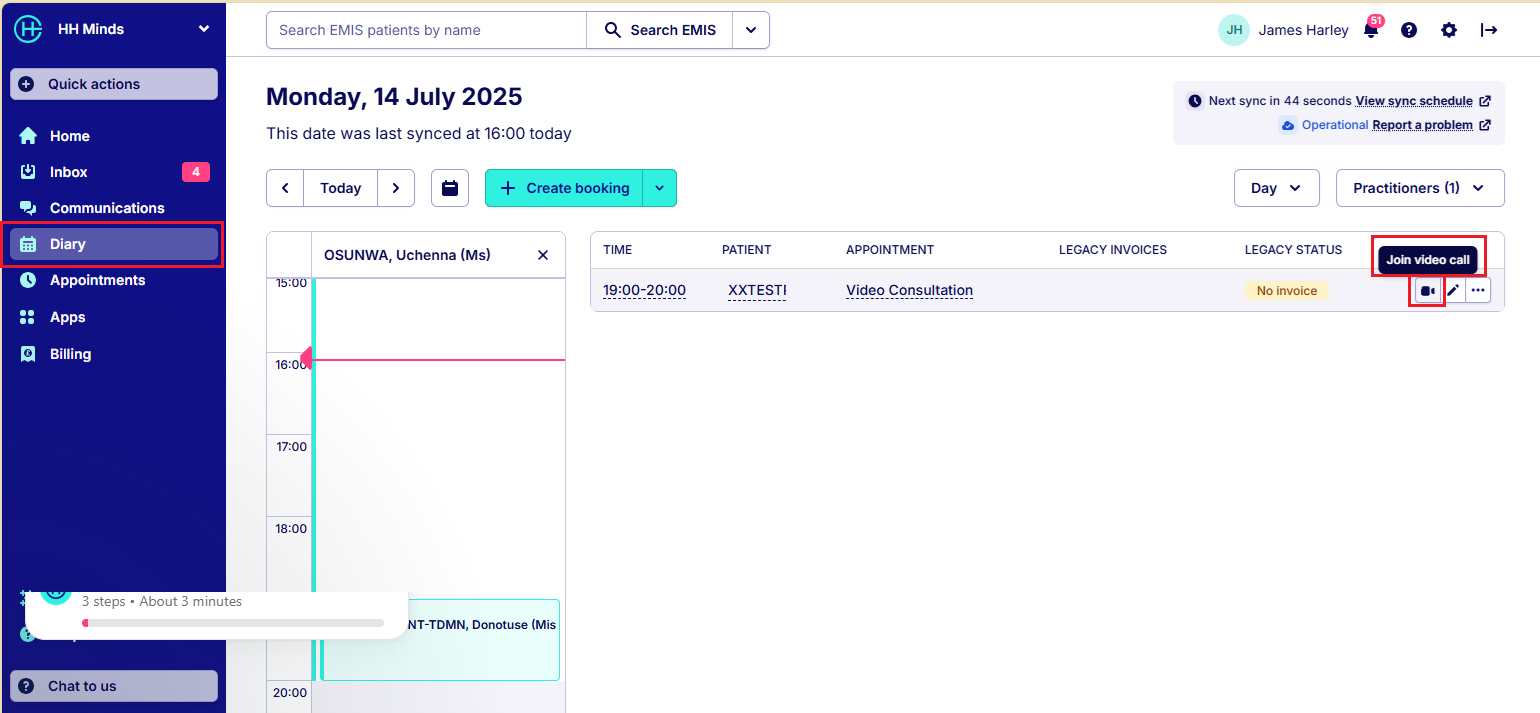
When the patient has joined the video, the clinician can join the video call by clicking on the video icon:
If you do not want to keep navigating back to the Web Browser to open Hero Health, you could install the Hero Sidekick Toolbar - How to set up Hero Sidekick | Help Center
Was this article helpful?
That’s Great!
Thank you for your feedback
Sorry! We couldn't be helpful
Thank you for your feedback
Feedback sent
We appreciate your effort and will try to fix the article