If you selected Print Token when completing an Electronic Prescription, you will be able to print this and send to the patient (via email, Messaging).
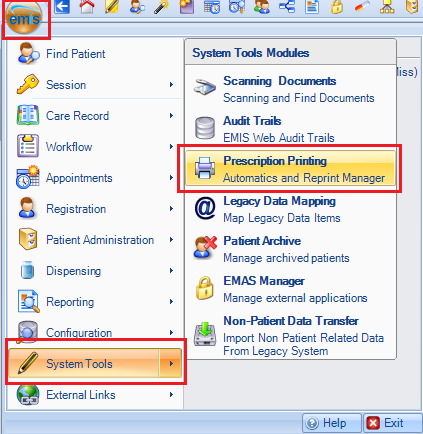
In EMIS navigate to System Tools > Prescription Printing:
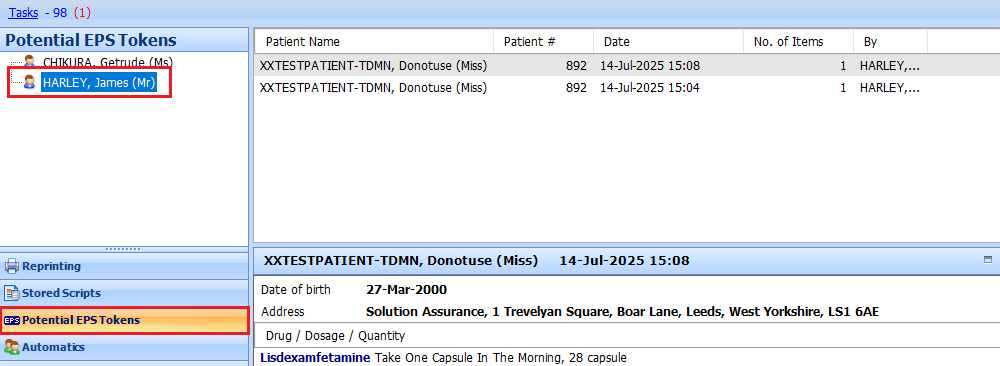
Select Potential EPS Tokens and click on your name:
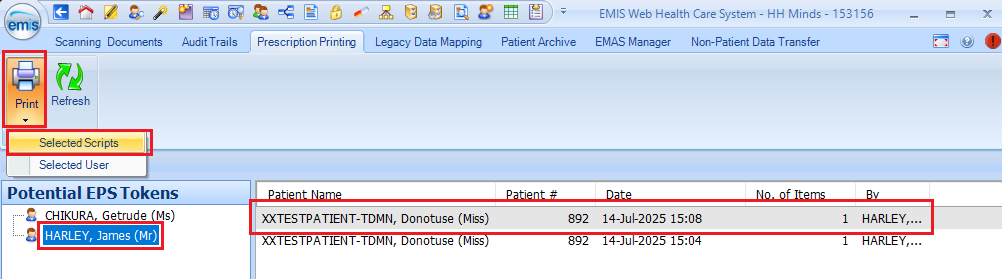
Highlight the script you wish to print, click on Print> Selected Scripts:
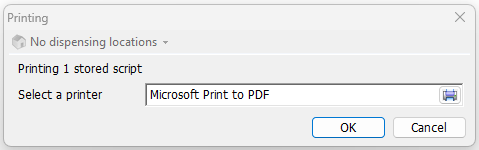
Select a printer - Microsoft Print to PDF:
Give the file a name and save to your local device:

The token can then be sent to the patient via Email or via Messaging in Hero Health.
Was this article helpful?
That’s Great!
Thank you for your feedback
Sorry! We couldn't be helpful
Thank you for your feedback
Feedback sent
We appreciate your effort and will try to fix the article