Follow these five simple steps to enable the configuration switcher:
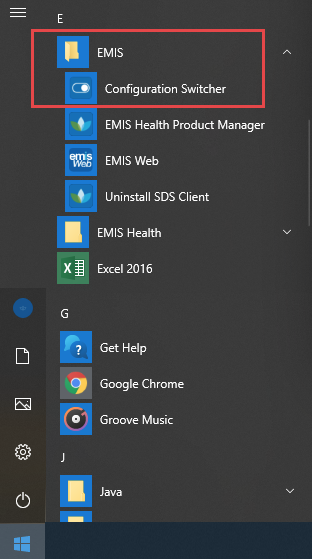
- On your Windows desktop, click Start and select All Programs.
- Click the EMIS folder.
- Click Configuration Switcher.
On the Configuration Switcher screen, click Enable Switching.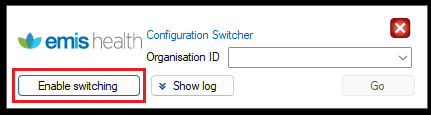
Enter the Organisation ID for the EMIS session you need to open:
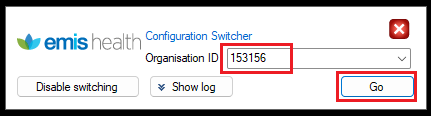
Then click on Go
Was this article helpful?
That’s Great!
Thank you for your feedback
Sorry! We couldn't be helpful
Thank you for your feedback
Feedback sent
We appreciate your effort and will try to fix the article