GP Connect enables clinicians to view a patients GP Record in EMIS Web.
In order to view a GP Record in EMIS via GP Connect, clinicians must log in with their Smartcard.
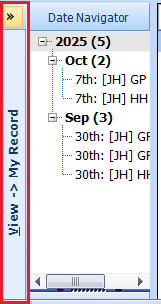
To view the Patients GP Record, open the patient record in EMIS, navigate to Consultations. On the left side of the Consultation windows, expand the View -> My Record:
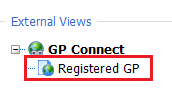
Under External Views, click on Registered GP:
This will open the patients GP Record in a HTML View. Use the GP Connect Toolbar to navigate through the GP Record:

When you have finished viewing the GP Record, click on the Close button:

Was this article helpful?
That’s Great!
Thank you for your feedback
Sorry! We couldn't be helpful
Thank you for your feedback
Feedback sent
We appreciate your effort and will try to fix the article