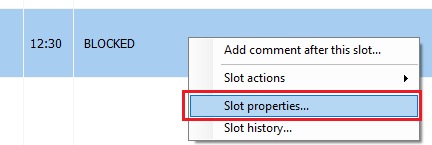
To open up a blocked slot so a patient can be booked into it, right click on the blocked slot in the EMIS diary and select Slot properties.....
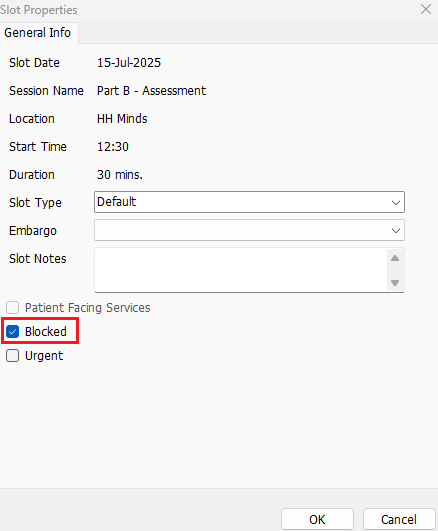
Uncheck the Blocked checkbox and click on OK:
To unblock multiple slots you can hold the SHIFT button and select multiple slots. Then follow the above guide to unblock all slots selected.
Was this article helpful?
That’s Great!
Thank you for your feedback
Sorry! We couldn't be helpful
Thank you for your feedback
Feedback sent
We appreciate your effort and will try to fix the article