If users are having issues with the VPN not connecting it may help to re-start the GlobalProtect Task.
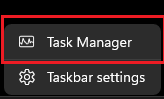
In the Windows Taskbar, right-click and choose Task Manager:
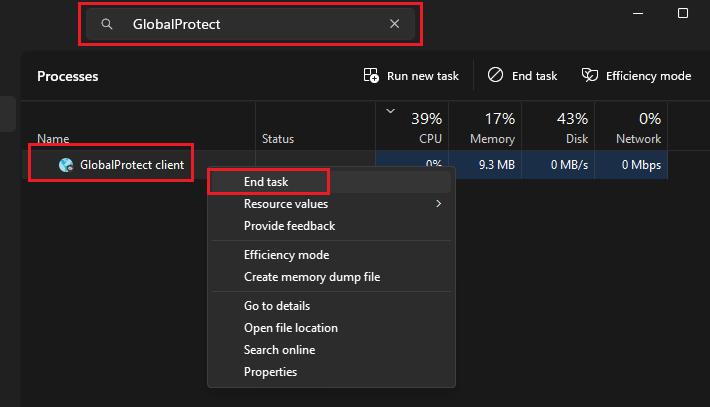
Search for GlobalProtect. In the Tasks list, right click on GlobalProtect Client and select End task:
Close Task Manager.
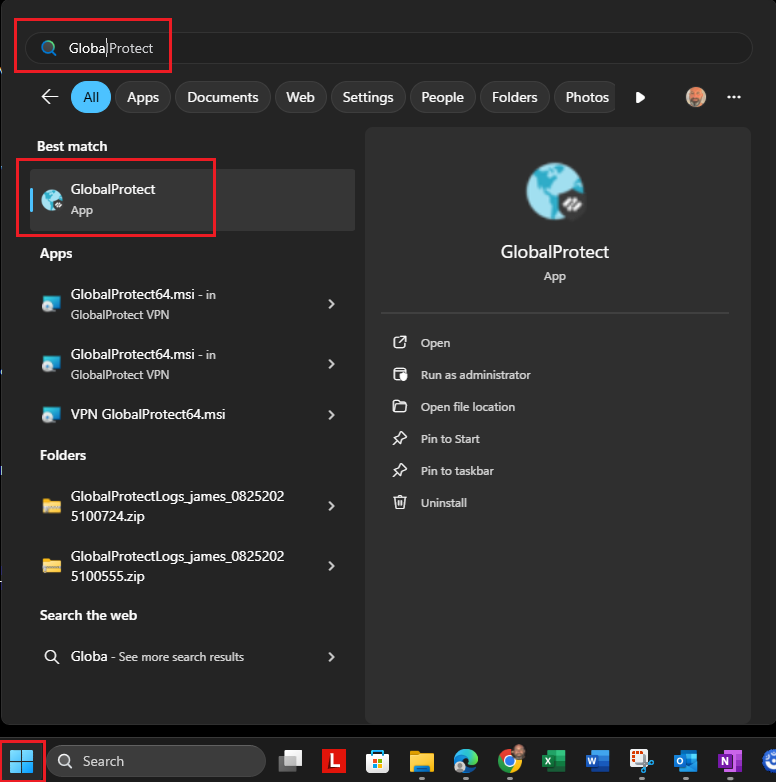
Click on the Windows Start button and search for GlobalProtect. Click on the GlobalProtect App to restart the VPN:
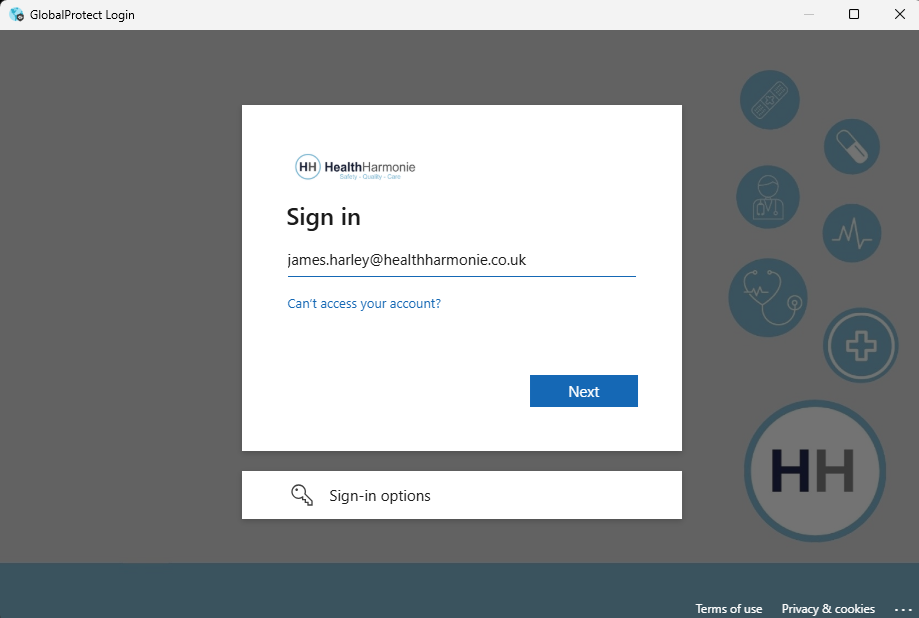
The GlobalProtect VPN should try and authenticate again against the users Health Harmonie email credentials:
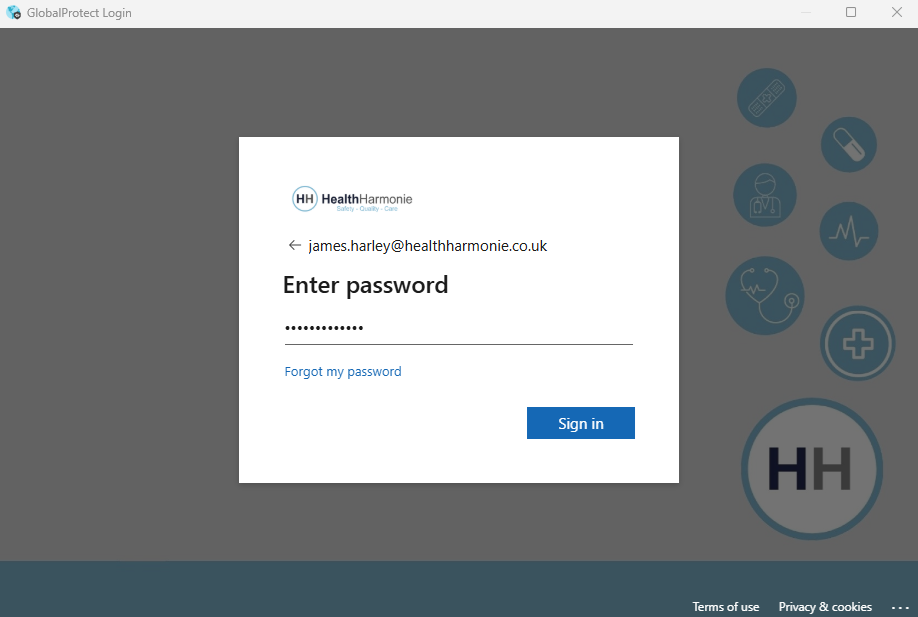
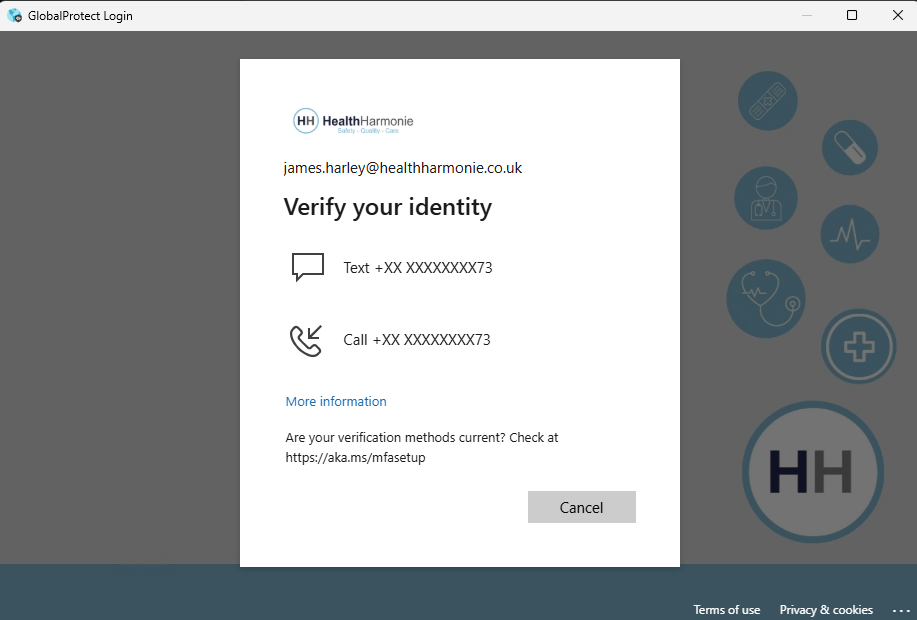

and then the VPN should be Connected:

Was this article helpful?
That’s Great!
Thank you for your feedback
Sorry! We couldn't be helpful
Thank you for your feedback
Feedback sent
We appreciate your effort and will try to fix the article