On October 16th 2025, Microsoft released a Windows update that impacted the authentication of NHS Smartcards. This would result in the following error message when trying to authenticate your NHS Smartcard:
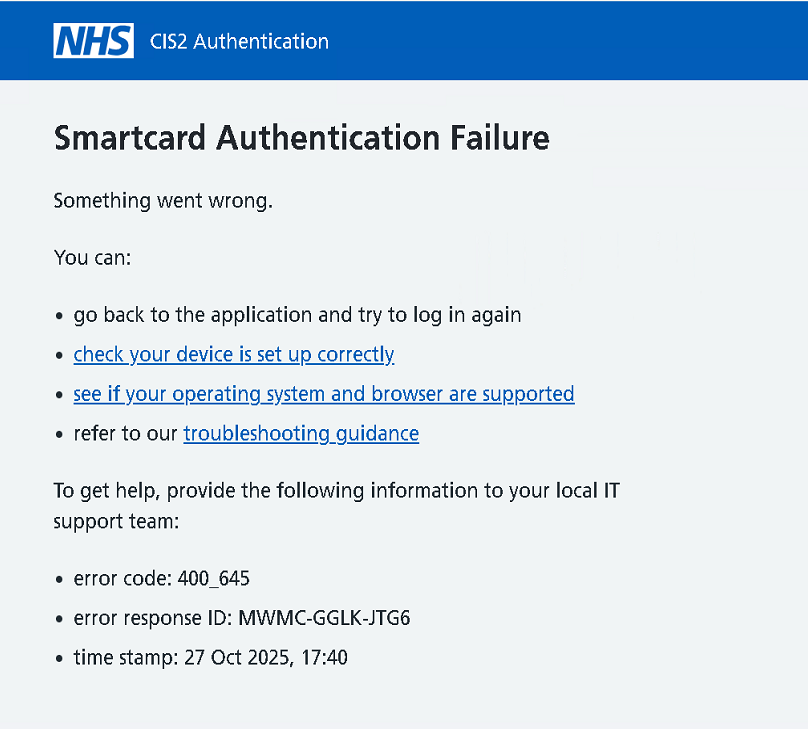
Subsequently, Microsoft have released updates that should fix the issue.
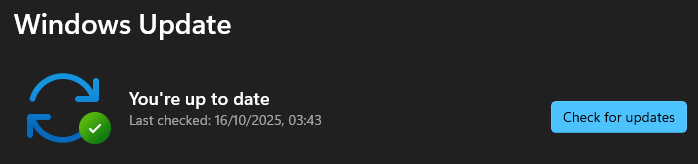
All users should run Windows Update on their devices to ensure they have all the latest Windows updates. On your device, search for Windows Update and then check for updates. If there are updates required, download and install. Make sure your device is up to date. This should resolve the issue.
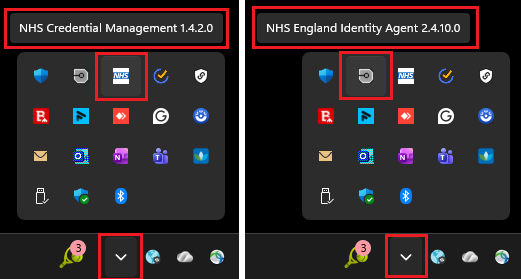
You will also need to make sure you have the latest versions of NHS Credential Management (v1.4.2.0) and NHS England Identity Agent (v 2.4.10.0) on your device. To find out your current versions, click on Show Hidden Icons on your Taskbar and hover over the icons:
If you have earlier versions, navigate to the folder below:
and download the following two files:
04 NHS.CredentialManagement.Setup-1.4.2.0.msi and 05 NHS-England-Identity-Agent-2.4.10.0.msi
Navigate to your Downloads folder and run each one twice. The first time, select Remove (to uninstall the older version):
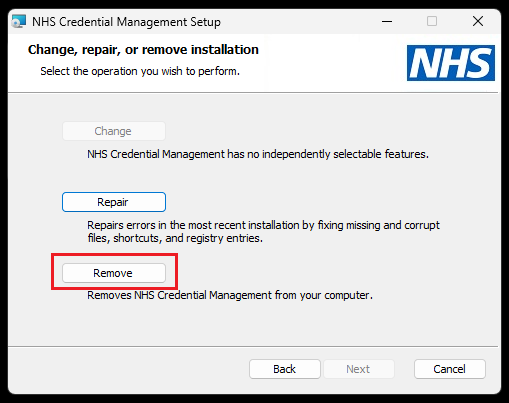
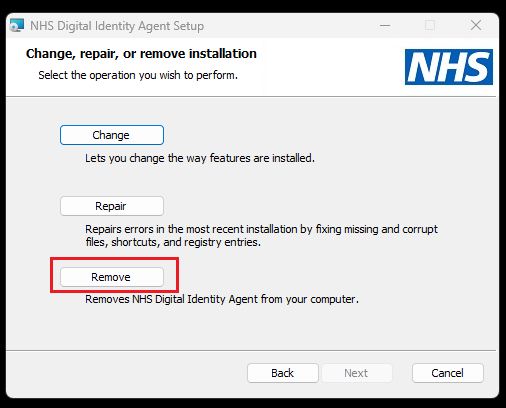
Only uninstall these applications if they are older versions.
Once the older version of the application has been uninstalled, run the installation file again and install.
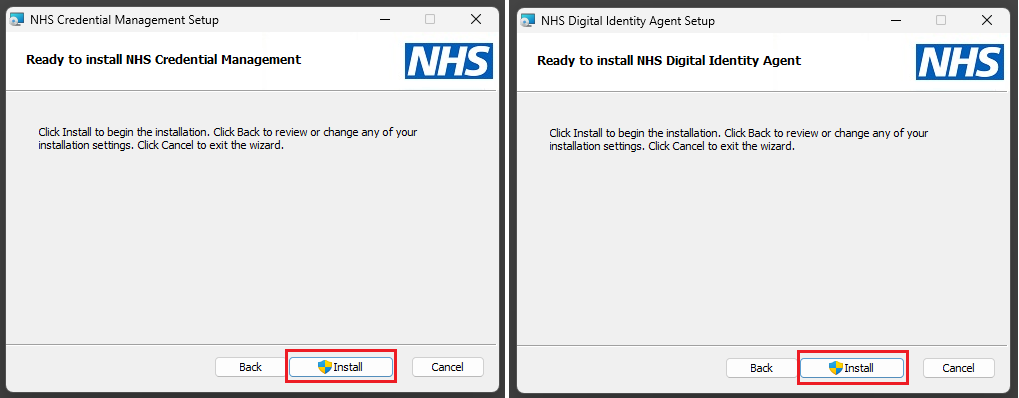
Finally, in Windows, search on Startup Apps, open and check both applications are set to On:
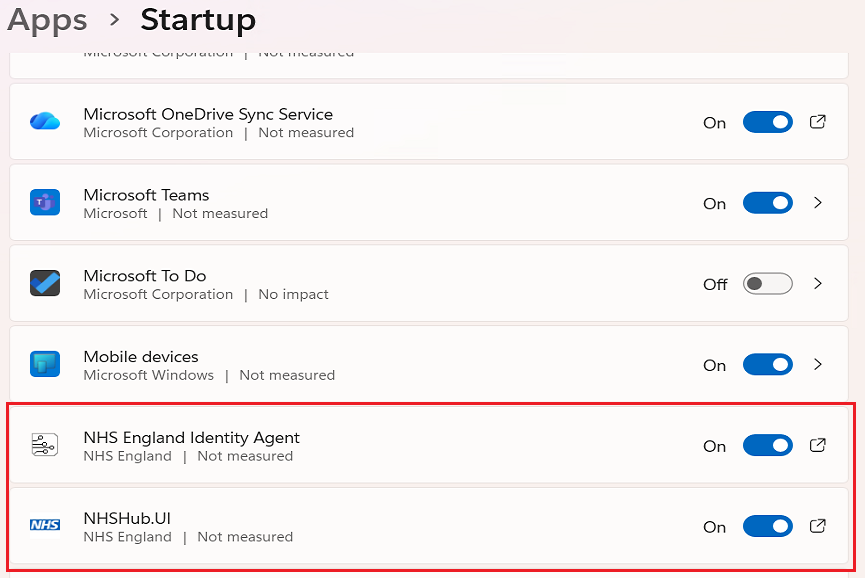
NHSHub.UI is the NHS Credential Management App.
To check both the NHS England Identity Agent and NHS Credential Management Apps are running, click on the Show Hidden Icons chevron. Both icons should be displayed:
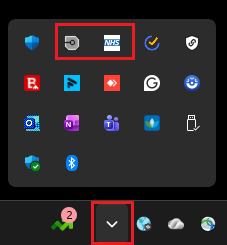
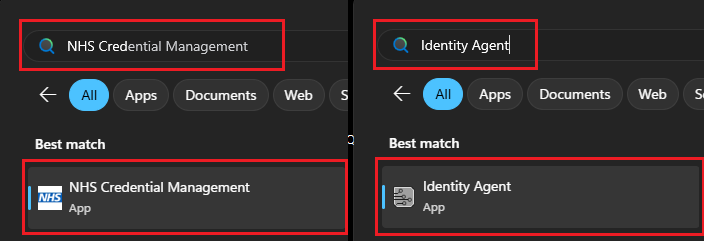
To manually start these Apps, do a windows search for them and then click on the Apps:
Was this article helpful?
That’s Great!
Thank you for your feedback
Sorry! We couldn't be helpful
Thank you for your feedback
Feedback sent
We appreciate your effort and will try to fix the article